stake88 Casino Mobile App
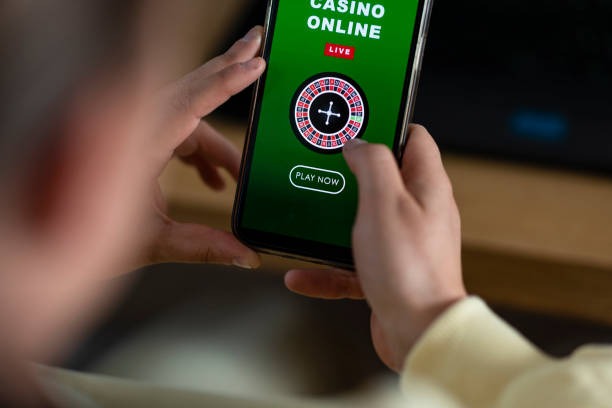
Mobile-first access to stake88 transforms how you engage with our platform. Whether you are watching Liga 1 matches from Jakarta, tracking Piala AFF tournaments from Surabaya, or spinning slots during your commute, our mobile experience keeps you connected to our sportsbook, live-dealer tables, and slot games wherever you are. We at stake88 have optimized every interface for smaller screens without compromising speed or security.

- SHA256 Match
- Installin
- StartFirst Game
- DownloadAPK
Our platform meets you where you are—on Android devices via direct APK download, on iOS through your mobile browser, or as a progressive web app on any smartphone. Each path offers the same account, the same game library (Aviator, Sweet Bonanza, Gates of Olympus, Fortune Tiger, Mahjong Ways), and the same payment methods (DANA, e-wallet, mobile banking, local payment, online payment, e-wallet, and bank transfers). You do not need to download anything to start; you can register and deposit in minutes using your preferred method.
We recognize that mobile users often have intermittent connectivity, smaller data plans, or older devices. Our app and web-app versions automatically adapt to your network speed, cache key pages for offline browsing, and let you pick up where you left off if your connection drops. Our support team speaks English and Indonesian during business hours to help with installation issues, account access, or payment questions via email and live chat.
How to access stake88 on mobile
We offer three ways to use stake88 on your mobile device. Android users can download our APK file directly from our website and install it on phones running Android 7 or later. iOS users access stake88 through Safari or any mobile browser—no app-store approval needed, and you keep full control of your device. All users can also install our progressive web app, which works like an app but takes up minimal space and updates automatically.
Installation steps for each platform
- Android APK: Visit our website on your Android phone, tap the APK download link, allow installation from unknown sources in your settings, then open the downloaded file to install stake88.
- iOS Browser: Open Safari, go to stake88.bid, tap the share icon, select "Add to Home Screen", and confirm—your stake88 icon now appears on your home screen.
- Progressive Web App: Open stake88 in any mobile browser, tap the menu icon (three dots), select "Install App" or "Add to Home Screen", and your PWA installs instantly.
- Create your account: Once installed, tap the stake88 icon, register with your email and mobile number, verify your email, and choose your deposit method to start.

App vs. browser: what to expect
Our native Android APK app offers advantages that the browser cannot match. The app runs faster because it caches assets locally on your phone, so pages load instantly on repeat visits. Push notifications alert you to live-dealer table openings, tournament start times, and withdrawal confirmations without you checking constantly. The app works partially offline—you can browse game categories, view your account history, and read the rules even without a connection. When you regain internet, the app syncs automatically. Our progressive web app provides many of these same benefits (offline cache, notifications, home-screen icon) with minimal installation size. The mobile browser version works everywhere but refreshes from the internet each time, so it uses more data and feels slower on 3G or congested WiFi. For frequent players, the app or PWA is worth installing; for casual access, the browser works fine.
Device compatibility on stake88
Our Android app requires Android 7 or later; most phones from 2016 onwards meet this standard. iOS users need iOS 12 or newer, which covers iPhone 5s and later. Our progressive web app works on any phone with a modern browser (Chrome, Safari, Firefox, Edge) from the past five years. If your device is older than these baselines, the browser version of stake88 still works, though you may experience slower performance on 3G networks or with many games open. We recommend using the latest version of your phone's operating system for the best experience and security patches. If you are uncertain whether your device is compatible, our support team can confirm during business hours.
Common installation issues and solutions
If your Android phone blocks the APK download or installation, check that you have enabled "Unknown sources" in your security settings (Settings > Security > Unknown sources or Install unknown apps). Some phones also show a warning that the file is not recognized; this is normal for APK files, and you can dismiss it to proceed. If the install fails halfway, restart your phone and try again—interrupted downloads sometimes leave incomplete files. On iOS, if the web app does not appear on your home screen after tapping "Add to Home Screen", try clearing your browser cache (Settings > Safari > Clear history and website data) and repeat. If you are on a weak network, download the APK or load the web-app installation page over WiFi for a smoother process. Our support team can troubleshoot specific error messages if you provide a screenshot—email us with details about your phone model and the exact error text.
Data, permissions, and account security on stake88
When you install our app, we request permissions to access your device's camera (for photo ID verification during KYC), microphone (for optional voice-based account recovery), and notifications (to alert you to events). We do not use these permissions for any other purpose, and you can revoke them in your phone's settings at any time. Your account login, deposits, and withdrawals are encrypted using industry-standard security protocols. We do not store payment details on your phone; they are processed through secure third-party gateways (DANA, e-wallet, mobile banking, banks). If you lose your phone, log in from another device and change your password immediately—your account remains secure. For additional protection, our support team can lock your account temporarily if you report theft or unauthorized access.
Key takeaways
- Download the Android APK directly, or open stake88 in your iOS browser—both lead to the same account.
- Our progressive web app installs in seconds and works offline, making it ideal for travel or low-data situations.
- The app caches pages locally, so it loads faster and uses less data on repeat visits.
- Push notifications keep you informed about live events, tournaments, and account updates without constant checking.
Getting started with mobile deposits and withdrawals
Once you have installed stake88 on your phone, depositing funds takes a few taps. Open the app, go to your account menu, select "Deposit", choose your payment method (local payment, online payment, e-wallet, mobile banking, local payment, online payment, or bank transfer), enter your amount, and confirm. Most mobile-wallet deposits complete instantly; bank transfers may take several hours depending on your bank's processing time. Withdrawals work the same way—go to "Withdraw", select your method, and enter the amount. Our support team processes withdrawals during business hours and confirms completion via email. If you experience a deposit or withdrawal delay, check your phone's notifications or contact our support team with the transaction reference number visible in your payment app. Idul Fitri and Idul Adha holidays may cause slight delays as banks adjust their schedules, but we prioritize withdrawals as soon as processing resumes.
Why mobile matters for stake88 users
Mobile access to stake88 fits your life—whether you are tracking Liga 1 results during work, catching a live-dealer blackjack table on a lunch break, or spinning slot tournaments from home in the evening. Our platform is designed for the reality that you move between WiFi, 4G, and weak networks throughout the day. The app and progressive web app both handle these transitions smoothly, so you never lose your session or your game progress. Push notifications keep you aware of events without you needing to check constantly; you stay in control of when and how often you engage.
We at stake88 built our mobile experience to be secure, fast, and accessible. Your account, your funds, and your personal data are protected with the same encryption and verification processes we use across all platforms. Our support team stands ready during business hours to help with installation, account access, deposits, KYC verification, or withdrawal inquiries via email and live chat in English and Indonesian. Whether you choose the Android app, the iOS browser experience, or the progressive web app, you are joining thousands of users who trust stake88 for reliable sportsbook coverage (football, badminton, MotoGP), live-dealer entertainment (blackjack, roulette, baccarat, Dragon Tiger), and slot tournaments scheduled throughout the week.